WordPress Choosing Which to Use:

http://bit.ly/2XAtWsp

WordPress is an easy to use blogging software, and has quickly become one of the most widely used blogging formats out there. You have a choice whether to set up your blog through WordPress.com or WordPress.org. Below is a guide to choosing the right WordPress software for your small business needs.

WordPress.com offers a fast and easy way to set up your blog. It is a free multi-user source to sign up and publish your blog immediately. You are given a selected number of themes from which to choose.

WordPress.com is backed up and managed by WordPress:

thus you don’t have to worry about backing up your posts. Your blog is hosted on hundreds of servers, so you never have to worry about it going down. You also don’t need to worry about spam, setup, upgrades, or security because it is all taken care of for you.

You are not able to upload your own themes and pug-ins. In addition, WordPress.com will not allow you to post Google AdSense ads or affiliate links. However, WordPress may on occasion show Google text ads on your site.

WordPress.com does offer a VIP program that allows you to run custom themes, custom PHP code, and plug-ins. This is offered to blogs with high traffic and that are high profile.

WordPress.org allows you to install any of the plug-ins and themes available. You have complete control over the way your site looks and will not be viewed as another run of the mill site. Also, WordPress plug-ins expands the functionality of your site.

You need a hosting provider that allows you to use MySQL databases and FTP access. Typically a host provider will cost you less than $7 a month. You can find these services at GoDaddy.com or Bluehost.com.

WordPress.org requires a significant amount of technical knowledge to set up and run. You are also responsibly for backing up your content, handling spam issues, and issues with down sites due to high traffic. Essentially, it places full responsibility on your as the blogger.

Choosing between the two:

Your best bet is to start at WordPress.com to learn the Dashboard and how WordPress works. The start up is free and you can then decide if you want to blog or host your own website. Once you understand how WordPress works, you can export your content to your self-hosted WordPress site.

If you want your blog to appear more professional, WordPress.com offers you upgrades for a low cost that allow you to host a domain through them. So, instead of your website appearing as abc.WordPress.com, it will appear as abc.com.

Though WordPress.org has limitation on support, they offer a great forum filled with useful information to help you keep your site running smoothly. You also have options for plug-ins that allow emailing newsletters and other information to your client base.

WordPress.com pros:

WordPress.com offers a fast and easy way to set up your blog. It is a free multi-user source to sign up and publish your blog immediately. You are given a selected number of themes from which to choose.

WordPress.com is backed up and managed by WordPress, thus you don’t have to worry about backing up your posts. Your blog is hosted on hundreds of servers, so you never have to worry about it going down. You also don’t need to worry about spam, setup, upgrades, or security because it is all taken care of for you.

WordPress.com cons:

You are not able to upload your own themes and pug-ins. In addition, WordPress.com will not allow you to post Google AdSense ads or affiliate links. However, WordPress may on occasion show Google text ads on your site.

WordPress.com does offer a VIP program that allows you to run custom themes, custom PHP code, and plugins. This is offered to blogs with high traffic and that are high profile.

WordPress.org pros:

WordPress.org allows you to install any of the plug-ins and themes available. You have complete control over the way your site looks and will not be viewed as another run of the mill site. Also, WordPress plug-ins expands the functionality of your site.

You need a hosting provider:

Exclusive service on fiverr By alexandriasco

http://bit.ly/2XAtWsp

That allows you to use MySQL databases and FTP access. Typically a host provider will cost you less than $7 a month. You can find these services at GoDaddy.com or Bluehost.com.

WordPress.org requires a significant amount of technical knowledge to set up and run. You are also responsibly for backing up your content, handling spam issues, and issues with down sites due to high traffic. Essentially, it places full responsibility on your as the blogger.

Choosing between the two:

Your best bet is to start at WordPress.com to learn the Dashboard and how WordPress works. The start up is free and you can then decide if you want to blog or host your own website. Once you understand how WordPress works, you can export your content to your self-hosted WordPress site.

If you want your blog to appear more professional, WordPress.com offers you upgrades for a low cost that allow you to host a domain through them. So, instead of your website appearing as abc.WordPress.com, it will appear as abc.com.

Though WordPress.org has limitation on support, they offer a great forum filled with useful information to help you keep your site running smoothly. You also have options for plugins that allow emailing newsletters and other information to your client base.

Discover how to build your own autopilot online business that earns $1,000s a month within 8 to 12 weeks. (Seriously, this is something we’ve helped *hundreds* of people do.) Start living the life you want. Enjoy your freedom. Kill your day job.


How to Upgrade WordPress Manually or Automatically:

http://bit.ly/2XAtWsp

Realizing how to redesign WordPress is a significant ability that you should have in the event that you need to stay up with the latest. There are numerous reasons you need to stay up with the latest. Above all are security issues. Staying up with the latest will guarantee that you have stopped up the most recent security gaps in your blog.

Obviously there are in every case new highlights, layouts and modules that join each new WordPress overhaul. Having the option to exploit new WordPress modules, highlights and topics will guarantee your blog is dependably on the forefront of innovation.

Before updating WordPress either naturally or physically you should:

  • Check the prerequisites to ensure your host is running the required adaptations of PHP and MySQL.
  • Make a reinforcement of your database so you are certain that you don’t lose any of your posts and pages.
  • Ensure your modules and topic will work with the overhauled WordPress establishment.
  • Cripple your modules for the overhaul procedure by utilizing the Bulk Action to deactivate all your modules on the double.

In the event that your modules or subject won’t work with the new WordPress establishment you will either need to hold on to update until the modules and topic are redesigned likewise to work with the new WordPress rendition, or you should do without utilizing the modules or potentially topic.

There have been times where I have utilized a module or subject that was not moved up to work with the most recent WordPress rendition. In some cases I was fruitful and some of the time I wasn’t. I don’t suggest utilizing modules or subjects that have not been affirmed with the overhauled WordPress topic in the event that you need to have a stable WordPress establishment.

Physically overhaul WordPress:

  • First I will go over how to overhaul WordPress physically.
  • To redesign WordPress physically you should download the refreshed WordPress variant.
  • You will likewise need to unfasten WordPress to an organizer on your hard drive (do whatever it takes not to overlook where you put it).
  • Presently you should open up your FTP program and sign into your site.

You will need to note where you WordPress is introduced. Regardless of whether it is in your root envelope or whether you have introduced it in another organizer, for example,/blog.

When you have found your WordPress establishment envelope on your site, you will need to explore to the refreshed WordPress records you unfastened on your hard drive (you did recall where you put it, didn’t you?).

You will at that point need to transfer the redesigned WordPress documents on your hard drive (envelopes and all) to the comparing organizers on your site. Significant! The wp-content envelope is the main special case to overwriting the records.

On the off chance that you have any uncommon WordPress subjects or modules you are utilizing you won’t have any desire to overwrite this envelope or you will lose your WordPress topic and need to re-transfer them.

After you have transferred all your WordPress records:

After you have transferred all your WordPress records, you will need to return to your program and sign into your WordPress blog on your website.

On the off chance that your database should be refreshed additionally, at that point WordPress will show a connection to refresh your database that you can tap on and pursue headings.

Now you will need to ensure everything is working appropriately just as check the WordPress rendition to ensure you transferred everything effectively and your WordPress update produced results.

Consequently introduce WordPress topic:

http://bit.ly/2XAtWsp

On the off chance that you like to take the sheltered and simple course like me, at that point you will need to let WordPress do basically everything for you and overhaul WordPress automtically.

To give WordPress something to do you should initially sign into your blog:

When you are signed in you should see a message at the highest point of the screen expressing you have to refresh WordPress on the off chance that you have an obsolete establishment. In the event that you don’t see a message you will need to go to your dashboard and snap the updates alternative.

You will see your form of WordPress showed with a message regarding whether you have to redesign WordPress. WordPress will approach you for your association data and continue to refresh once you have entered this data. Know more visit the official website http://bit.ly/2XAtWsp

Note: If you altered the default or great topic then you should back up these documents to re-transfer one the WordPress overhaul is finished or you should physically redesign WordPress. When you are certain everything is working accurately you can go in and empower your modules.

PowerPoint Presentation Service:

http://bit.ly/2X5rY41

A PowerPoint introduction administration centers around offering introduction arrangements than can help individuals achieve their introduction targets. This sort of help is exceptionally useful principally for people who discover making PPT strenuous. This helps them in understanding approaches to display fruitful PowerPoint.

It can meet an assortment of PowerPoint needs. Not anybody can create an incredible introduction. A terrible PowerPoint slideshow can be extraordinarily disquieting. Along these lines, it is commonly insightful to utilize help from masters that may empower people and associations to deliver great PowerPoint introductions.

The purpose of a huge level of PowerPoint introductions:

It is generally to underwrite a thought, administration, or produced products. Hence, it is indispensable for one to try to advance the promptly available apparatuses offered by the program. A PowerPoint administration may instruct and exhibit tips on the best way to make an introduction that could proficiently delineate an image of the individual or partnership.

The people behind this type of administration incorporate specialists who have the capacity and abilities required to make effective introductions that will almost certainly acquire an appropriate effect from the group of spectators.

Utilize PowerPoint administrations:

Incalculable people, who utilize PowerPoint administrations, which incorporates students and endeavor masters, don’t see how to make a heavenly PowerPoint introduction. More often than not, they show up with related introductions. As a result, the crowd winds up uninterested and feels that their valuable time was just squandered.

Contemplating on the impacts of a poor introduction is simply appalling. For instance, a moderator who doesn’t have adequate introduction capacity could end up debilitating potential financial specialists, clients, alongside different investors.

Use of Powerpoint:

Exclusive service on fiverr By sashakaehudson

http://bit.ly/2X5rY41

An understudy who does not see how to use PowerPoint truly well could get a bombing grade. Instructors who don’t to realize the imaginative assets offered in Microsoft will perhaps have students who can’t focus for the length of poor introductions.

In this manner, the students won’t grasp the exercise being educated. In order to avoid this sort of concerns, it is critical to discover the guide of a PowerPoint introduction administration.

A PPT administration:

It comprehends the most ideal approach to individualize introductions dependent on the moderators’ specific necessities. The moderators are sure to create the sort of response and impact that they want. Know more visit the official website http://bit.ly/2X5rY41

A decent PowerPoint introduction is successful in imparting basic subtleties, in the meantime, in keeping the group of spectators’ intrigue. PowerPoint just turns into an amazingly persuasive apparatus for making introductions once utilized the correct way.

Business Card Designs:

http://bit.ly/2X0JWUU

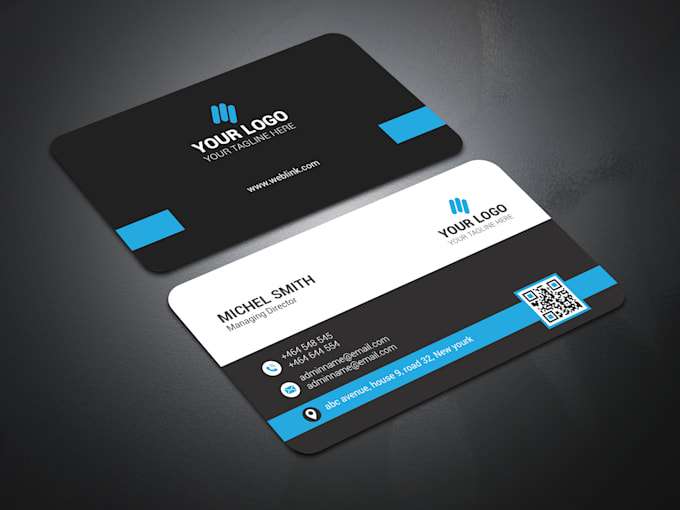
Despite the fact that they are of smaller size, don’t let that trick you into feeling that business cards are of little outcome. Those little folks have the ability to catch and convey your image and tempt new clients all on the space of something that can fit into your hand.

Business cards enable you to viably and effectively impart your image in a simple to store, smaller, and convenient structure that potential clients promptly approach.

Cards are a straightforward:

Yet exceedingly powerful approach to help your image picture with a substantial perspective to provide for clients. On the off chance that a client has your business’ marked card, they have a straightforward method to allude to you when they are needing items or administrations in which you practice.

They can allude to you and your business with a basic look inside their wallet and in that manner, you generally stay in the outskirts of their brain.

Utilizing an organization card:

It supports larger showcasing and publicizing endeavors since it advances brand consistency and quality. You can tailor your cards to line up with your web composition and online nearness to create greater believability for your business.

The more broadly accessible your image is, the higher the dimension of trust your business will actuate from imminent clients. Also, business cards are the ideal method to help your image.

Paramount and drawing in card configuration:

Exclusive service on fiverr By shajidmhamood

http://bit.ly/2X0JWUU

It supplements a quality web nearness and will be increasingly successful in tempting clients to your business. You can settle on straightforward structure, anyway an expert administration will probably arrange business card plans to incorporate your image and convey a solid message to your clients.

On the off chance that you as of now have a built up brand or site that you’re happy with, guarantee your business card structures line up with your set up brand so as to create extra client intrigue.

Cards function:

Admirably close by a solid brand picture and you have to immovably set up that brand and your key message before developing business cards or some other advertising guarantee. Your cards will be a portrayal of your business, thus they should encapsulate your image superbly. Know more visit the official website http://bit.ly/2X0JWUU

Using the WordPress Dashboard:

http://bit.ly/2XTP3mA

I might want to compliment you on structure your WordPress site and laud you for the moves you have made to get Your Home Biz ready for action the most effortless way.

I will clarify the WordPress Dashboard. In the wake of signing into your WordPress site you will be on what is known as the WordPress Dashboard. From the dashboard is the place you can wrap setting up your WordPress site and access every one of the highlights WordPress brings to the table.

how about we begin:

In the extremely top line you will see the name of your site in the region to one side. You will likewise observe a case with a bolt that says new post. This is the place you can go straightforwardly to different highlights in WordPress which I will clarify in future articles. You will likewise observe Howdy (whatever name you picked).

Next you will see a log out zone (this is the place you can log out of your dashboard). At last you will see two tabs under the primary line and over to one side. Screen Options and bolt and Help. The Screen alternatives region enables you to change the appearance of your dashboard and I suggest leaving it as is for the time being. The Help area is the place you can go to get help with your WordPress dashboard.

Latest adaptation:

Presently at times you will see a yellow box under the top line saying you can refresh your site to the latest adaptation. On the off chance that you see this crate I suggest tapping on it and, at that point tapping on the Auto Update segment. This stays up with the latest with WordPress.

Underneath the above data:

You will see your screen separated into two segments. The first over to the privilege is a segment (under the dashboard box) that takes you to the majority of the highlights WordPress has. The bigger second area named Dashboard is essentially a segment to stay up with the latest with WordPress data.

Before I go into the clarifications I might want to prescribe to you to set your WordPress site up with the Networking highlight. This will enable you to make subdomains from your WordPress dashboard. For those of you not comprehending what a subdomain is I will clarify.

A subdomain resembles making a totally different site. Your primary area will be Your Domain Name.xxx and a subdomain would be xxxx.Your Domain Name.xxx. This enables you to set numerous sites up under one area name.

Make a Network:

“As of WordPress 3.0, you can make a system of locales (Multisite). This article is guidelines for making a system. It is fundamentally the same as making your very own form of WordPress.com

NOTE: If you are as of now running WordPress MU, you don’t have to finish these means. your system is as of now empowered. When you move up to the 3.x branch, you will be incited to refresh your.htaccess rules for MultiSite.

WordPress 3.1:

Alert! In the event that you have moved up to WordPress 3.1, the Super Admin menu has been supplanted with the Network Admin area. Look on your administrator HEADER on the extreme right: it will say “Howdy, YOURNAME -Network Admin – Log Out”. The connection is ‘System Admin.'”

In the event that you enact the system alternative you will get an extra box in the primary line. This container alongside the Log Out box will say either Site Admin or Network Admin. Since you have enacted the system alternative you will currently have the choice to utilize the dashboard as the Network Admin

Network Admin dashboard:

All that you do from here has consequences for every one of your locales or as the Site Admin (everything from here is for one specific site). When you are in the Network Admin dashboard it will say Site Admin by the Log out box and when you are in the Site Admin Dashboard it will say Network Admin in the case beside the Log out box.

I will give a fast diagram of the section under the dashboard box when you are utilizing the Network Admin dashboard (I will broadly expound of each choice in future articles). On the off chance that you have enacted the systems administration include you will a segment title Sites. This is the place you can see every one of the destinations you have worked in WordPress under the one area name.

Next you will see a Users segment:

This is the place you can setup various clients for your WordPress site and control what access they have. The following area is Themes. Around there you can change the structure of your site and control a ton of what individuals see on your site. By and by I might want to state I will accomplish more articles and recordings clarifying these in detail.

Highlights and different undertakings:

The following segment is Plugins. This is the place you can introduce diverse modules to cause your WordPress site to have more highlights and perform different undertakings for you. The following area is settings and this is the place you can set various settings explicit to your needs and indeed I will express that I will clarify these in future articles and recordings.

The last segment is updates and this is the place you can get refreshes for your WordPress site and updates for highlights you are utilizing Presently I will clarify the segment on the left under the dashboard enclose when you are the Site Admin dashboard. From this dashboard you will most likely work on one specific site.

The principal box:

Exclusive service on fiverr By shamimasfak

http://bit.ly/2XTP3mA

It will be locales in the event that you have actuated the Network choice and this is the place you can see every one of the destinations you have or make another one. You won’t see this line in the event that you have not initiated the Network alternative.

The following line will be Posts and this is the place you can present data on your fundamental page and keep including new substance. Next is Media and this is the place you can join media highlights into your site.

The following line is Links and this is the place you can see where your site is connected to. Next is Pages and this is the place you can add new pages to your site and alter any pages you have just made. Next is Comments and this is the place you can view and control any remarks that have been posted on your WordPress Website.

Appearance:

The following line is Appearance and this is the place you can control the plan and highlights of your site. Next is Plugins and this is the place you can include, empower and handicap the modules you have utilized for your site. Know more visit the official website http://bit.ly/2XTP3mA

The following line is Tools and this is the place you approach any devices that are utilized in your WordPress site. The last line is Settings and this is the place you have numerous alternatives to make your site the manner in which you need it to be.

Accomplished Graphic Designers Expand Into the Digital Media Market:

http://bit.ly/2RlkMub

The definition of graphic design is expanding as new technologies grow. Skilled graphic designers solve visual communication problems or troubles. The meaning of visual depiction is extending as new advances develop.

Gifted visual architects tackle visual correspondence issues or inconveniences. Capable in configuration, drawing, shading, typography, creation, and rendering strategies, off-set printing, just as regular programming utilized in the visual communication market, for example, Photoshop, Illustrator, and InDesign are essential.

With the advancement in new media:

A cognizance about photography, and time sensitive and intelligent media including film, video, and PC sight and sound likewise are vital to stay up to date with innovation. Albeit visual originators discover arrangements basically for print, notices, yearly reports, bundlin.

Business stationery, handouts, flyers, lists, logos, and pretty much anything you can consider to enable organizations to emerge, their plan “eye” is likewise utilized in electronic media sources, for example, video and sound chronicles, mixed media introductions, slide introductions, CD-ROM and site content.

Deciding the social and social standards:

A particular group of spectators helps visual specialists productively build visual arrangements. They have to recognize the correspondence’s issue, at that point gather and look at data identified with the issue, lastly wrench out various ways to deal with take care of the issue. Viable visual communication is seen as reasonable, fitting, and helpful.

We see visual computerization wherever in our every day lives in magazines, papers, and books, close by made work, on painted canvas, communicated through photography, or in unadulterated content. Crafted by visual craftsmen and its impression has been around for a long time.

Understudies take realistic and configuration courses:

While in workmanship school, understudies take realistic and configuration courses went for both print and mixed media structure. It is to the greatest advantage of visual specialists to be acquainted with the two zones, in light of the fact that numerous planners work in the visual improvement of website composition. On the off chance that specialists need to stay aggressive, realistic.

Website specialists must stay up with the latest with the most recent programming and PC advances. In the always showing signs of change field of visual computerization, there are web specialists who likewise are visual fashioners and the other way around. Be that as it may, there are different craftsmen who have chosen to practice just in print related visual communication or just in web architecture and its advancement with a fixation on the specialized side of site building.

Individuals partner visual specialists just with the print medium:

It’s intriguing to take note of that right now numerous individuals partner visual specialists just with the print medium. Be that as it may, the occasions are evolving. Despite the fact that web specialists are not ready to exist without the web.

Visual craftsmen truly needn’t bother with the web to rehearse their calling, there are various craftsmen associated with the visual production of sites. Inside simply the business craftsmanship field there are exchanges among craftsmen about the contrasts among realistic and website specialists. Many feel that web architecture is a sub classification of visual computerization.

Web specialists:

Exclusive service on fiverr By soos4real

http://bit.ly/2RlkMub

Be that as it may, web specialists need to think about substance structure and ease of use, client experience, and other practical criteria which all identify with the specific highlights of the Web medium. Web specialists need more aptitudes past those of customary visual craftsmen, while the ordinary visual creator keeps on discovering answers to correspondence issues by settling on shading, text style, and pictures.

The regular illustrations occupation may call for marking, for example, logo structure that exhibit a specific thought or personality to be utilized in a business endeavor’s promoting and other advertising techniques, or nearly anything you can consider to empower a gathering emerge, or it might require developing blurbs, signs, pamphlets, books, or amazing pictures in the computerized media.

Recognizing visual craftsmen:

It can be end up learned about the needs for rich website architecture while working intimately with the web engineers, who will transform their visual website architectures into the code which empowers them to be shown on the Internet. Know more visit the official website http://bit.ly/2RlkMub

For the specialists who additionally welcome the specialized side of site creation, they may finish up either trading their visual craftsmen’s job for web specialist caps or simply utilizing both all the while!

Some Tips for Designing the Perfect eBook Cover:

http://bit.ly/2IHUoa0124

Individuals are going to pass judgment on your eBook by its spread. The spread is the initial introduction and first possibility you need to snare a peruser. It must be outwardly engaging, incorporate lettering that is anything but difficult to peruse and allure clients to download (and read) your book.

The ideal eBook spread emerges from the various books accessible, conveys what the book is about and offers an advantage to perusers for downloading.

That is an entirely difficult task for a structure that clients are probably going to see for a couple of moments (if that) when choosing to make a buy. In any case, there are structure components you can use to help energize downloads. Here are five hints to enable you to structure the ideal eBook spread.

Utilize a Descriptive Image:

There is such a great amount of rivalry for a peruser’s consideration with regards to your book spread. Take a gander at the line of proposals for Goodreads, above. A portion of the titles and covers emerge rapidly and you have a thought what the book is about, while others leave you speculating.

By and large a decent, graphic picture encourages offer your eBook to perusers. It reveals to them a touch of something about the story in that and can help gather intrigue.

An expressive picture can be a photograph, yet it doesn’t need to be. Take a gander at the spread above for “Death Comes to Happy Acres.” The framework of a feline on a shaded foundation gives a quick look into a character in the eBook. The symbolism likewise gives an extraordinary setting to the content that is anything but difficult to prepared and outwardly captivating.

A straightforward picture is frequently superior to anything something progressively expand with regards to an eBook spread. Remembering that numerous clients will initially observe the spread at a little size on a screen (perhaps their telephone), among other book covers.

Stick to Easy To Read Typography:

While physical books can incorporate a ton of content on the spread, that ought to never be the situation for an eBook. The spread should, at a most extreme, incorporate three bits of duplicate:

  • Book title
  • Creator’s name

Any honors, for example, New York Times Bestseller:

Simple to peruse typography can represent the moment of truth an eBook. Content must be anything but difficult to peruse and in a typeface that is suitable to the substance of the book. Utilize the top portion of the space for the title of the book.

Except if it is for an outstanding writer. Choose a presentation typeface that is fairly strong. Sans serifs with uniform strokes are regularly most effortless to peruse. Consider typography for an eBook spread similarly you would show type for a versatile site. The shape and capacity are comparable.

Plan a lot of differentiation between the foundation and content to guarantee intelligibility. Try not to be reluctant to make lettering enormous. A huge piece of the canvas can be given to the book title.

A drop shadow or fascinating sort treatment is satisfactory, however don’t go insane with impacts. The objective is lucidness, not to have the flashiest impacts.

Give Every Element Space:

Since the canvas of an eBook spread is quite little and in light of the fact that thumbnails are one of the principal ways clients will communicate with the structure, make a point to give each component a lot of room. Utilization of void area can make content simpler to peruse, pictures simpler to see and make the whole planner more clear initially.

Structuring eBook spreads enables you to utilize a few systems that may not generally be in your toolbox. While web composition is regularly centered around making layers of substance, for example, message over pictures, eBook spreads work better without a great deal of layering except if there is a ton of room and shading detachment between components.

It’s OK to make an uncommon compartment for content components –, for example, a white box to separate lettering from the remainder of the plan. Most eBook structures profit by a comfortable example of components with the title at the top, distinct symbolism and the writer’s name at the base (the title and writer positions can be swapped).

The spread for “the Watson Girl: A Thriller,” above, utilizes this idea well. There’s a secretive picture, combined with intense simple to-peruse lettering. There’s some layering and cover, yet the components are for the most part isolated to guarantee ideal intelligibility.

Utilize a Standard Shape:

Exclusive services on fiverr by mattchecks

http://bit.ly/2IHUoa0124

An eBook spread should closely resemble a book spread. Nothing shouts beginner like a square or distorted book spread picture. Before starting the structure get determinations for the stages where the book will be distributed.

There are frequently picture goals necessities, document position and even various size prerequisites to consider. (Ignite and iPad spread sizes are marginally unique, for instance.)

At that point attempt to configuration dependent on the standard book perspective proportion of 3:2, which is the vertical shape that most perusers are utilized to. Leave a lot of room around the edges to represent somewhat various proportions on various eBook perusers with the goal that the spread plan appears to be identical crosswise over gadgets. (Numerous perusers do get perusing on various gadgets.)

Make a point to make the plan in a high-goals group (vector is ideal in the event that you can). Keep in mind, screens are showing signs of improvement constantly and greater, better records might be required later on and you would prefer not to reproduce eBook covers.

Build up a Brand Style:

Writers ought to consider a brand style for eBook distributing. Utilize a comparative subject for a progression of books, a similar typeface for titles or a predictable shading palette to enable perusers to recognize eBooks. To know more visit the official website http://bit.ly/2IHUoa0124

Sue Grafton has a progression of books with a solitary letter on the spread in a style that is plainly recognizable. It makes finding each new book in the arrangement simple and enables steadfast perusers to discover her books rapidly.

While only one out of every odd eBook distributer will have something so unmistakable to work with, a steady shading or typography palette is a decent beginning stage. Utilize that equivalent eBook spread marking in different places too to help convey a set up visual subject – web-based social networking, email bulletins and on the book site.

Ebook Designer Professional Hiring:

http://bit.ly/2X1EnVv

Would it be advisable for you to rely upon an eBook Designer or use programming. “PC programming would be the more grounded choice, since you get the chance to settle on choices and control the whole look of your spread plan, right”.

Should you depend on an eBook Designer or use software? “Computer software would be the stronger selection. Would it be advisable for you to rely upon an eBook Designer or use programming. “PC programming would be the more grounded choice, since you get the chance to settle on choices and control the whole look of your spread plan, right”.

This is the standard attempt to seal the deal heard on countless direct mail advertisements of PC programming. Be cautious here. Requesting programming to do this may hurt your business potential.

Be that as it may, Why Choose An eBook Designer Over Software:

Programming software engineers make cases like “even a child can do this” or how it will profit. Lovely covers are done undeniably more by eBook originators than programming. “Get results fast” programming are no counterpart for eBook planners with regards to quality.

Over depending on programming can demolish the benefit capability of your digital book. The correct spread planner can strongly affect how rapidly clients will destroy out their cash to purchase your book.

Shockingly, individuals judge an eBook by its 3D spread. The spread needs to look lovely. While programming makes spread creation advantageous, individuals rapidly discover that it doesn’t mean it is excellent.

An eBook writer needs the delightful hope to inspire clients, which means utilizing custom illustrations, high caliber, and a legitimate topic. You would prefer not to demonstrate clients that a shoddy program made your purported perfect work of art, or your clients will feel that your book is definitely not an artful culmination.

Be that as it may, Aren’t eBook Designers Expensive:

Exclusive service on fiverr By Matt S.

http://bit.ly/2X1EnVv

It might be costly, indeed, however you ought to keep in mind the intensity of a custom fashioner. They can be the contrast between a book contacting an overall group of spectators effectively, or not notwithstanding having the option to sell multiple duplicates.

Subsequently, book creators online and disconnected charge as much as $600. You would be more enticed to get programming knowing this overwhelming actuality.

Be that as it may, there are some extremely extraordinary creators out there at extremely moderate costs. An author searching for custom spreads made by an eBook architect would love an organization that makes reasonable illustrations at a low, level cost.

Digital book Designer work is custom and isn’t possible by snap catch programming, and an organization’s portfolio is a ground-breaking case of that. I would by and by rely upon a custom planner over programming, particularly when the arrangement of custom architects are in no way like the shallow designs of modest ecover programming.

All in all, I Shouldn’t Buy Ecover Software For My Cover Needs:

All things considered, that relies upon the things you have to achieve. Is deals your most astounding need above something else, and need to profit by expanding that. At that point you need the structuring background to work the correct plan programming. Know more visit the official website http://bit.ly/2X1EnVv

In the event that you don’t have understanding, at that point contract human hands that expertise to draw out the excellence of your spread. Obviously, on the off chance that you need covers that don’t interest such requests, you can generally utilize basic programming for those.

It is urgent for creators to recollect that they ought to never ignore custom spread structure. So, a custom architect is the mystery behind a creator’s prosperity. Overlooking it very well may be the motivation behind why they come up short.

Some Types Of Web Application Architecture:

http://bit.ly/2I1maiH

Such terms as ”web application”, ”front-end engineering”, ”Web 2.0”, and ”HTML5 applications” have as of late turned out to be in vogue. Tragically these terms are frequently utilized in a deceptive setting which doesn’t consider the full particularity of execution and utilization of web application engineering. Today we’ll attempt to discover increasingly about the kinds of web application design in the light of the most recent web patterns and key issues that issue to programming proprietors.

We’ll plot 3 principle sorts of web design and talk about their favorable circumstances and disadvantages for three points of view: programming proprietor, programming contractual worker (designer) and end client. There can be different sorts however they fundamentally come down to these three as their subtypes.

First we’ll characterize a web application: it’s a customer server application there is a program (the customer) and a web server. The rationale of a web application is conveyed among the server and the customer.

There’s a channel for data trade, and the information is put away predominantly on the server. Further subtleties rely upon the engineering: various ones convey the rationale in various ways. It tends to be set on the server just as on the customer side.

Client:

Responsiveness/Usability. Updates of information on pages, exchanging between pages (reaction time). Such characteristics of UI as wealth and instinct being used. Linkability. Capacity to spare bookmarks and connections to different segments of the site. Disconnected work. Represents itself with no issue.

Designer:

Speed of advancement. Expansion of new utilitarian highlights, refactoring, parallelizing the advancement procedure between engineers, format architects, and so forth. Execution. Greatest speed of reaction from the server with least utilization of calculation control.

Versatility. Capacity to expand calculation power or circle space under increments in measures of data and additionally number of clients. In the event that the designated versatile framework is utilized, one must give information consistence, accessibility and segment resilience (CAP hypothesis).

It’s likewise significant that the case, when the quantity of highlights/screens of the customer application is expanded at the product proprietor’s solicitation, relies upon the system and usage instead of the sort of web engineering.

Probability and ease of robotized unit testing:

Useful extendability. Including usefulness inside negligible time and spending plan. Website design enhancement. Clients must most likely discover the application through any internet searcher. Backing. Costs on application foundation – equipment, arrange framework, upkeep staff.

Security:

The product proprietor must make certain that both business information and data about clients are kept secure. As the principle security standard we’ll think about changes in usefulness of application conduct on the customer side, and all related dangers. Standard perils are the equivalent for the thought about structures. We don’t consider security on the ‘server-customer’ channel, since every one of these models are similarly presented to break-ins – this channel can be the equivalent.

Transformation site:

Portable or work area application. Plausibility to distribute the application on portable markets or to make a work area application out of it with insignificant extra expenses.

A portion of these criteria may appear to be off base, however the reason for the article isn’t to demonstrate what’s great and what’s terrible. It’s even more a nitty gritty audit that demonstrates the potential choices of decision.

How about we plot three primary kinds of web applications as per the jobs performed by the server and the customer program.

Server-side HTML:

Exclusive service on fiverr By m4m3ts

http://bit.ly/2I1maiH

The most boundless design. The server creates HTML-content and sends it to the customer as an undeniable HTML-page. Some of the time this engineering is called ”Web 1.0”, since it was the first to show up and right now commands the web.

The least ideal incentive among these structures. It’s so in light of the fact that there is a lot of information moved between the server and the customer. The client needs to hold up until the entire page reloads, reacting to inconsequential activities, for instance, when just a piece of the page should be reloaded.

UI layouts on the customer depend straightforwardly on the structures connected on the server. Because of the restrictions of portable web and enormous measures of moved information, this engineering is not really pertinent in the versatile section. There are no methods for sending moment information updates or changes progressively.

On the off chance that we think about constant updates by means of age of prepared pieces of substance on the server side and updates of the customer (through AJAX, WebSockets), in addition to structure with fractional changes of a page, we’ll go past this design.

The most elevated of the three, since it’s the least demanding implementable. It’s because of the way that as a matter of course one URL gets specific HTML content on the server.

Web optimization: 5/5.: Or maybe effectively executed, likewise to the past measure – the substance is known heretofore.

Speed of advancement: 5/5.: This is the most established design, so it’s conceivable to pick any server language and structure for specific needs.

Adaptability: 4/5:. In the event that we investigate the age of HTML, under the expanding burden comes the minute when burden parity will be required. There’s a considerably more confounded circumstance with scaling databases, yet this undertaking is the equivalent for these three structures.

Execution: 3/5.: Firmly bound to responsiveness and adaptability regarding traffic, speed and so on. Execution is generally low in light of the fact that a major measure of information must be moved, containing HTML, plan, and business information. Accordingly it’s important to produce information for the entire page (not just for the changed business information), and all the going with data, (for example, plan).

Testability: 4/5.: Interestingly, there’s no need in extraordinary apparatuses, which backing JavaScript understanding, to test the front-end, and the substance is static.

Security: 4/5. :The application conduct rationale is on the server side. In any case, information are moved plainly, so an ensured channel might be required (which is fundamentally an account of any engineering that worries the server). All the security usefulness is on the server side.

Change site: versatile or work area application: 0/5. By and large it’s basically inconceivable. Seldom there’s an exemption (a greater amount of exotics): for instance, if the server is acknowledged upon node.js, and there are no huge databases.

Or on the off chance that one uses outsider web administrations for information procurement (in any case, it’s an increasingly advanced variation of design). Subsequently one can enclose the application by hub webkit or similar to implies.

Disconnected work: 2/5:. Actualized with a show on the server, which is entered to HTML5 particulars. On the off chance that the program supports such a detail, all pages of the application will be reserved: on the off chance that the association is off, the client will see a stored page.

JS age gadgets (AJAX):

Advanced engineering of the main sort. The thing that matters is that the page, which is shown in the program, comprises of gadgets (practically free units). Information are transferred to these gadgets through AJAX inquiry from the server: either as an undeniable lump of HTML, or as JSON, and changes.

Through JavaScript-templating/authoritative) into the substance of the page. The choice of transferring lumps of HTML bars the need of utilizing JavaScript-MV*-structures on the customer side; for this situation something less difficult can be utilized – for instance, jQuery. By bringing down intuitiveness we support the advancement speed and make usefulness less expensive and progressively solid.

The chief favorable position is that updates from the server arrive just for the piece of the page mentioned by the customer. It’s likewise great that gadgets are isolated practically. A specific gadget is responsible for a piece of the page; changes in a section won’t influence the entire page.

Responsiveness/Usability: 3/5.:The volume of moved information for a piece of a page is littler than for the entire page, that is the reason responsiveness is higher. Yet, since a page is a lot of gadgets, the pertinent UI layouts in a web application are constrained by the picked UI system. Cold begin (the principal full stacking) of such a page will take somewhat more.

The substance, which is completely created and stored on the server, can be in a flash shown on the customer; here time is spent on getting the information for the gadget and, guideline speaking, on templating. At the principal visit the site won’t rush to stack.

However further it will be considerably more charming being used, whenever contrasted with locales dependent on the design of the primary sort. Additionally it’s value to specify the likelihood of usage of ”fractional” stacking (like it’s done on yahoo.com).

Linkability: 2/5.: Here unique devices and components are required. When in doubt, Hash-Bang component is connected.

Search engine optimization: 2/5.: There are uncommon components for these assignments. For instance, for advancement of sites dependent on this engineering it’s conceivable to predefine the rundown of advanced pages and make static URLs for them, without parameters and modificators.

Speed of improvement: 3/5.: In addition to the fact that one needs to know the server-side advancements, yet in addition to utilize JavaScript structures on the customer side. It’s additionally required to execute web benefits on the server side.

Execution: 4/5.: The time and assets, spent on age of HTML-content, are moderately minor whenever contrasted with the time spent by the application on recovering information from the databases, and on their handling before templating. Know more visit the official website http://bit.ly/2I1maiH

Utilization of the all-encompassing kind of this engineering (when information are moved as JSON) brings down the traffic between the customer and the server, however adds a reflection level to the application: recovery from database – > information handling, serialization in JSON – > API: JSON – > parsing of JSON – > official